Free studio compiler
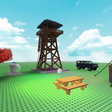
Online Studio Roblox is a free studio compiler that presents an environment where you can see how Roblox Studio works with visual elements. You’ll see a component explorer that shows different objects that are already available in the area, and you can edit them as you wish. However, it lacks any teaching module as you’d find in Baldis Basics in Education and Learning, Lua Virus Classic, and Lua Learning.
Top Recommended Alternative

In essence, it just shows you what Roblox Studio is capable of with some of the more essential elements. You can run around and play with some of the settings, but there’s a limit to what you can do in the actual app. It doesn’t show you how to change or use the sections, with many of the boxes locked.
A studio environment
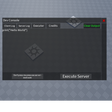
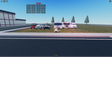
If you’re new to Roblox Studio, the development component of the gaming platform, you might be wondering what it will look like when you’re done setting elements. Online Studio Roblox gives you a taste of what to expect. The explorer window shows various components in folders. When you click on one of them, the window at the bottom reveals what sections they consist of.
Interacting with objects
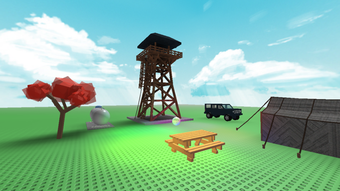
There are some basic items already loaded for you in Online Studio Roblox. You can interact with some of them, such as kicking the crystal ball or climbing the tower. If you want to develop the same items in your game, you only need to look at the components in the explorer window.
No educational purpose
It would have been more educational if Online Studio Roblox taught you how to code or insert items in the studio environment. While it’s great to see visual components, you won’t really learn all that much. For the most part, it feels like you’re just running around seeing what this specific developer is capable of making.
Look and run
Online Studio Roblox is adequate if you want to see environment explorers and view how you can configure components. While the developer states you can edit, there aren’t many tools in the arena to perform that function.
There are also items for you to interact with, but there’s no indication of how to make some yourself. You’ll have to have Roblox Studio open to replicate the items or copy them over so you can fiddle with the settings. A guide would have been helpful.